Claude Code is a command-line coding agent that does more than just suggest code: it writes it, tests it, and manages your Git workflow.
Download the PDF of this page.
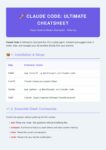
📦 1. Installation & Initialization
| Step | Command / Action |
|---|---|
| Installation | npm install -g @anthropic-ai/claude-code |
| Launch | Type claude in any project folder. |
| Update | npm update -g @anthropic-ai/claude-code |
| Login | claude login (requires an Anthropic Console account). |
Exporter vers Sheets
⌨️ 2. Slash Commands (Session Control)
Slash commands allow you to control the tool without sending a message to the AI.
/ask: Ask a question about the code without proposing changes (read-only mode)./compact: Summarize the history to free up memory (context) and save tokens./clear: Reset the current conversation./undo: Revert the last file modification made by Claude./search [query]: Perform a text search across your entire project./help: Display the full list of internal commands.
🛠️ 3. Automation and Testing
Claude can execute terminal commands to validate its work.
- Build Validation: “Check if the project compiles with
npm run build.” - Test Fixing: “Run Jest tests. If any fail, analyze the error and fix the code.”
- Linting: “Run ESLint and automatically fix all style errors.”
⚙️ 4. Customization: Creating Your Own Rules
There are two primary ways to “train” Claude to adapt to your needs.
A. The CLAUDE.md File (Per-project Configuration)
This is the simplest method. Create this file at the root of your repo to define the AI’s behavior. Claude reads it automatically upon startup.
Markdown
# Instructions for this project
- **Style**: Use arrow functions only.
- **Tests**: Use Vitest for new tests.
- **Shortcut**: When I say "Check-prod", run `./scripts/health-check.sh`.
- **Restrictions**: Never modify files in `/config/secrets`.
B. Custom Commands & Scripts
To create a business-specific command, create a script in your project (e.g., bin/my-tool.sh) and inform Claude of its existence in CLAUDE.md. Claude will then act as if this command were native.
🛡️ 5. Context Management and Security
.claudeignore: Works just like a.gitignore. Use it to prevent Claude from reading your.envfiles, certificates, or large log files.- Permission Mode: By default, Claude asks for your authorization before executing a
shellcommand or writing to a file. - Cost: Using Claude Code consumes credits from your Anthropic API (defaulting to the Claude 3.5 Sonnet model). Use
/compactregularly.
💡 6. “Hands-off” Git Workflow
Claude can manage your versioning from A to Z:
- Exploration: “Find out why the login button is grayed out.”
- Fixing: “Fix the bug and verify that it works.”
- Commit: “Commit your changes with a message in Conventional Commits format.”
The Tellaw Tip: For maximum efficiency, combine Claude Code with the Model Context Protocol (MCP). This allows it to connect to your external tools (Jira, Google Drive, Slack) directly from your terminal!