


What happened
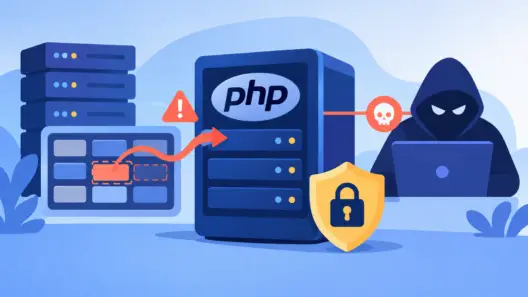
On October 21, 2026, the PHP project urgently released versions 8.5.12, 8.4.27, 8.3.36 and 8.2.35 to fix two critical vulnerabilities nicknamed “PHP2Shell”. They are described in the php.net security advisory. The identifiers began circulating publicly the day before the release, which gave attackers a head start, according to the PHP Foundation announcement.
CVE (Common Vulnerabilities and Exposures): a standardized public identifier for a vulnerability. It lets you track advisories, fixes and technical references. Always check the CVE record and the maintainers’ bulletins.
A note on the mechanism. This is not simply a “failed allocation whose leftovers get reused”. The problem comes from how PHP reacts when memory_limit is exceeded: it aborts the current work, and the process’s internal state can be left inconsistent. According to OX Security’s analysis, both flaws stem from this out-of-memory handling, but they are two distinct defects.
Exploitation attempts were observed from the day of the release. According to BleepingComputer, honeypots recorded successful command executions on October 24 against an Apache server with mod_php and PHP 8.4.26. The researchers point out that these servers had a configuration favorable to the attack, so this does not prove the same reliability on other setups.
Why this matters to developers
The flaw is in the PHP engine itself, not in your framework or your dependencies. Updating WordPress, Symfony or Laravel is therefore not enough: a request can compromise the runtime before your application code even runs.
The possible consequences are those of unauthenticated remote code execution. The attacker’s code runs with the privileges of the web process. It can therefore read whatever that account can read (configuration files, application credentials) and write wherever it can write, for example to drop a webshell. The broader the account’s privileges, the heavier the impact.
CVE-2026-109618 and CVE-2026-109619 in detail
CVE-2026-109618: code execution via corruption after memory exhaustion
- What it is: a use-after-free flaw. Running out of memory leaves the request state partially initialized, and request shutdown then acts on that invalid state (advisory GHSA-w8hw-w9fx-j79w).
- Affected: all versions prior to 8.2.35, 8.3.36, 8.4.27 and 8.5.12, including end-of-life branches.
- Fix: upgrade to one of those versions.
CVE-2026-109619: code execution via stale global state
- What it is: global state retained by a worker points to freed memory from a previous request. The next request handled by the same worker can exploit it before the state is reset (advisory GHSA-6wmf-4rv5-p3rp).
- Affected: same versions as above.
- Fix: same fixed versions.
The risk is described as highest with Apache and mod_php. PHP-FPM, FrankenPHP and LiteSpeed are also cited as exposed, according to Pentest-Tools. Both flaws are rated 9.2 (CVSS v4.0).
PHP 8.1 and earlier: no official release was published. The project distributed minimal source patches for 7.4, 8.0 and 8.1, and some distributions or LTS vendors ship backported packages. Without a backport from your distribution, the only safe path is to migrate to a supported branch.
Checking whether you are affected
Start with the version and the execution mode:
php -v
php-fpm -v            # or php-fpm8.3 -v depending on your package
apachectl -M | grep -i php
ps aux | grep -E 'php-fpm|httpd|apache2|lsphp|frankenphp'
Caution: php -v returns the version of the command-line binary, which may differ from the one actually used by the web server. Also check the version of the FPM binary, the Apache module or the container image that serves requests.
On Debian or Ubuntu, distributions often backport fixes without changing the upstream version number. Check the package changelog instead:
apt changelog php8.3-fpm | grep -i -E 'CVE-2026-10961[89]'
# RHEL / Rocky / Alma
rpm -q --changelog php-fpm | grep -i -E 'CVE-2026-10961[89]'
Then check the state of the session.upload_progress directive (useful for the mitigation below):
php -i | grep session.upload_progress.enabledTo detect exploitation, look for recent or unexpected PHP files, abnormal child processes launched by the web server, and POST requests to non-public endpoints:
find /var/www -name '*.php' -mtime -10 -ls
ps -eo pid,ppid,user,cmd --forest | grep -E 'apache|www-data|php'
grep -E '"POST ' /var/log/nginx/access.log* /var/log/apache2/access*.log*
Access logs normally do not contain request bodies. To spot use of the session upload field in multipart POST requests, you need a WAF or an IDS. CISA has published Sigma rules, according to the media outlets cited above.
Immediate fixes and mitigations
1. Update. This is the only complete fix. Install the fixed version for your branch, then restart PHP-FPM or the web server, otherwise old workers keep running:
sudo apt update && sudo apt upgrade
sudo systemctl restart php8.3-fpm     # adapt to your service name
sudo systemctl restart apache2        # if mod_php
If you use the community repository rpms.remirepo.net, the PHP advisory recommends switching to your distribution’s packages or building from source, because that repository was not up to date on release day (UpGuard).
2. Containers. Rebuild your images with a fixed PHP version, then redeploy. Simply running apt upgrade inside a running container does not replace that redeployment.
3. Shared hosting or PaaS. Ask your host to confirm the deployed version and the date of the fix.
4. Temporary mitigation. If you cannot update immediately, disabling session upload progress was already recommended before the patches, according to Techzine. It does not replace the update:
; php.ini
session.upload_progress.enabled = 0

; or, in a PHP-FPM pool
php_admin_value[session.upload_progress.enabled] = 0
Complement this with a WAF rule if you have one, and reduce the privileges of the account that runs PHP. Where possible, isolate the host from the public network while you update.
A third vulnerability to watch. PHP has also reported CVE-2026-115560, with no fix as of the sources consulted. It reportedly can only be exploited with an unusual combination of configuration and application code, and the same mitigation (session.upload_progress.enabled=0) is advised in the meantime (BleepingComputer).
If you suspect a compromise
- Isolate the machine from the network without abruptly shutting it down, to preserve in-memory traces.
- Back up the logs and, if possible, a disk image for analysis.
- Look for indicators: modified or recent PHP files, unusual outbound connections, added cron jobs or accounts.
- Reinstall the system and runtimes from trusted sources, redeploy your code from your repository, then rotate all secrets accessible to the PHP account (API keys, database passwords, tokens).
A few useful commands for basic investigation:
ss -tunap | grep -v 127.0.0.1
lsof -u www-data -nP | grep -i ESTABLISHED
crontab -l -u www-data; ls -la /etc/cron.*
find / -xdev -type f -mtime -10 -newer /etc/hostname 2>/dev/null | head -100
Scanners such as rkhunter or Maldet, or a log collection tool (SIEM), help correlate clues. A scan that finds nothing does not prove the machine is clean.
Follow-up and organization
- Follow both CVE identifiers and the official php.net advisory, as well as your distribution’s bulletins.
- Inventory all your PHP instances, including container images and forgotten servers.
- Set up an accelerated patching process: targeted regression tests, then progressive rollout.
- Plan the retirement of end-of-life branches. According to the sources consulted, PHP 8.2 will no longer receive security fixes after December 31, 2026.
Sources
- PHP.net — Security advisory of October 21, 2026
- PHP Foundation — Today’s PHP security release
- GitHub — GHSA-w8hw-w9fx-j79w (CVE-2026-109618)
- GitHub — GHSA-6wmf-4rv5-p3rp (CVE-2026-109619)
- OX Security — Analysis of the two vulnerabilities
- Pentest-Tools — PHP2Shell: what it is, how to detect, how to patch
- UpGuard — PHP2Shell: a clear explanation and response framework
- BleepingComputer — PHP2Shell flaws now successfully exploited in the wild
- Techzine — Attackers achieve first successes with PHP2Shell